What to include in a detailing quote
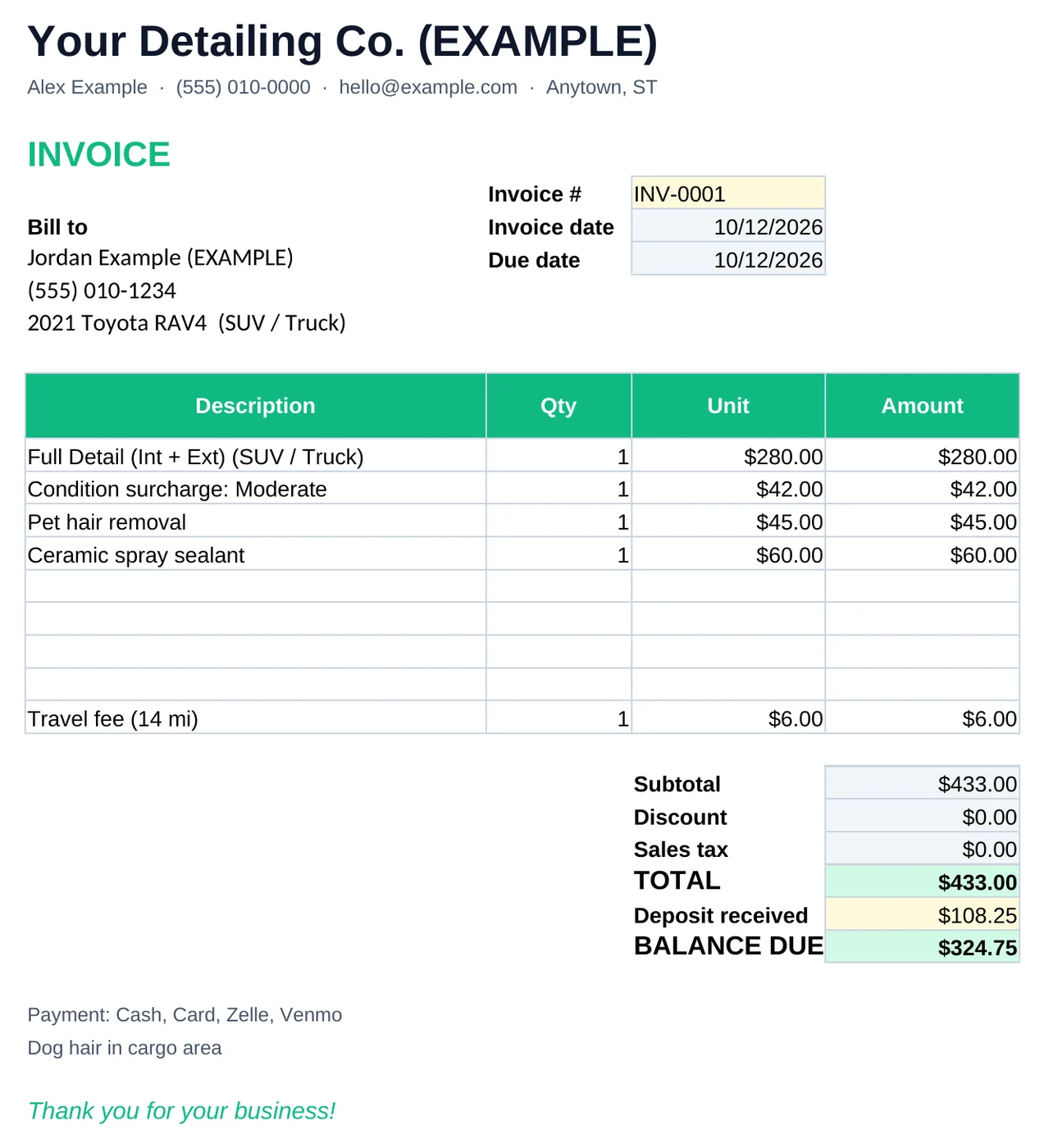
- Your business name, contact and quote number/date.
- Customer name, phone and the vehicle (year, make, model).
- Package and what it covers (interior, exterior, both).
- Vehicle size tier and condition level.
- Each add-on as its own line (pet hair, odor treatment, engine bay, sealant).
- Travel or mobile fee.
- Subtotal, tax (if applicable in your area), total.
- Deposit required and balance due.
- Terms: how long the quote is valid, cancellation and the condition disclaimer.
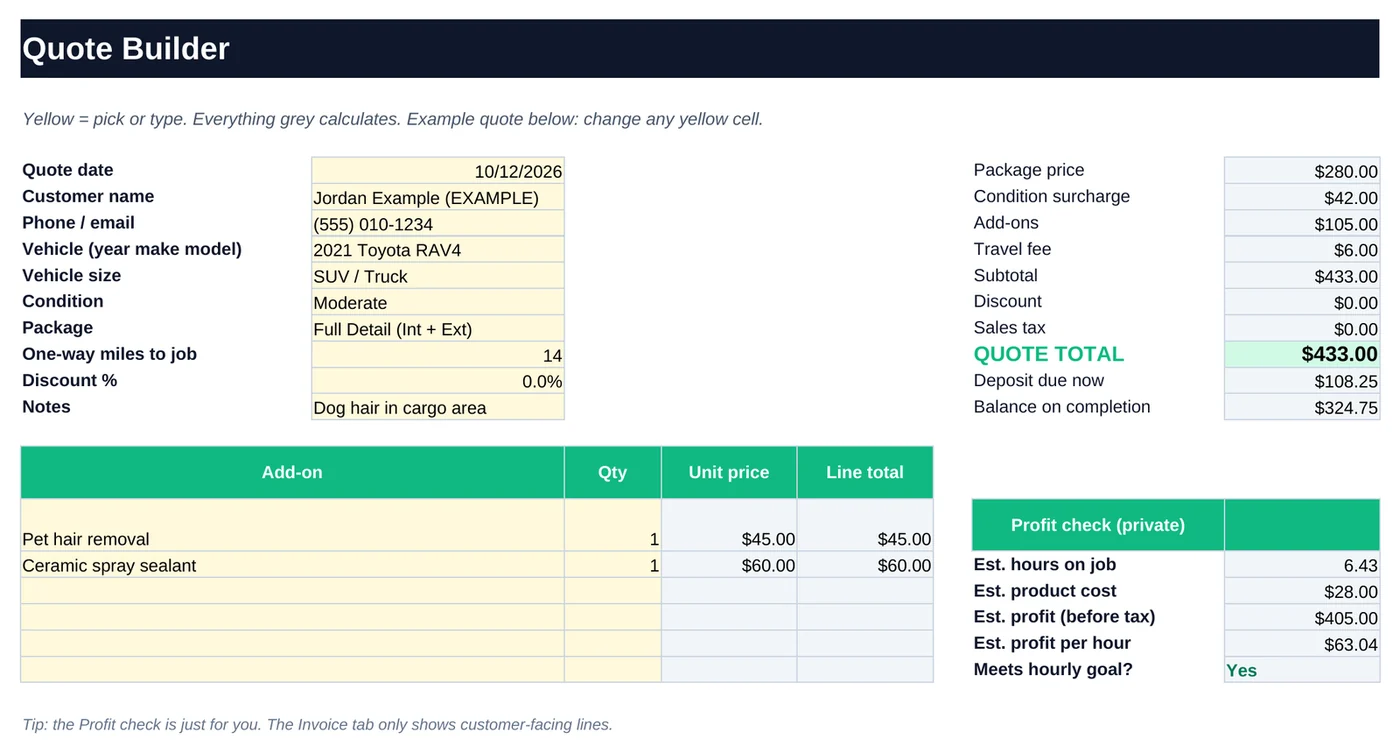
Sample quote
| Line | Price |
|---|---|
| Full Detail (Int + Ext) · SUV | $280.00 |
| Condition: Moderate | $42.00 |
| Pet hair removal | $45.00 |
| Ceramic spray sealant | $60.00 |
| Travel fee (14 mi) | $6.00 |
| Quote total | $433.00 |
| Deposit due now (25%) | $108.25 |
Example quote from the DetailTab example workbook. Prices are made-up examples, not pricing advice.
Terms worth adding
- Validity: “Quote valid for 14 days.”
- Condition: “Final price may change if the vehicle's condition differs from the photos provided.”
- Deposit and cancellation: state when the deposit is refundable.
- Access: for mobile jobs, water and power access or a fee if you supply them.
Sending quotes fast
Text or email the quote as a PDF or screenshot right after the call. Speed matters, because customers often contact several detailers. In DetailTab, choose size, condition, package and add-ons, then print or save the invoice tab as a PDF.
Frequently asked questions
Is there a free detailing quote template?
You can build one in any spreadsheet using the list on this page. DetailTab's $19 kit adds automatic pricing by size and condition, deposit, invoice and profit-per-hour tracking.
Does the template work in Google Sheets?
Yes. DetailTab works in Google Sheets (File → Import → Upload the .xlsx) and in Excel 2019 or Microsoft 365.
Should I require a deposit?
Many detailers take a deposit for larger jobs to reduce no-shows. State the amount and cancellation policy on the quote.
Stop guessing. Quote in under a minute.
The DetailTab Pricing & Quote Kit: Quote Builder, Invoice, Price Menu, Job Log, Customers and Monthly Summary for Excel and Google Sheets. $19 one-time, no subscription.